Orchestrix by GOAT Robotics
Every request. Every robot. In sync.
Orchestrix turns material requests from the shop floor into robot deliveries. Operators request parts in seconds, supervisors approve in one click, and GT Studio sends the robot — with every step on record.

From request to robot, in 93 seconds
- Request parts in seconds
- Approve in one click
- Your workflow, no code
- Your plant, your rules
- Hands off to GT Studio
- Talks to the floor
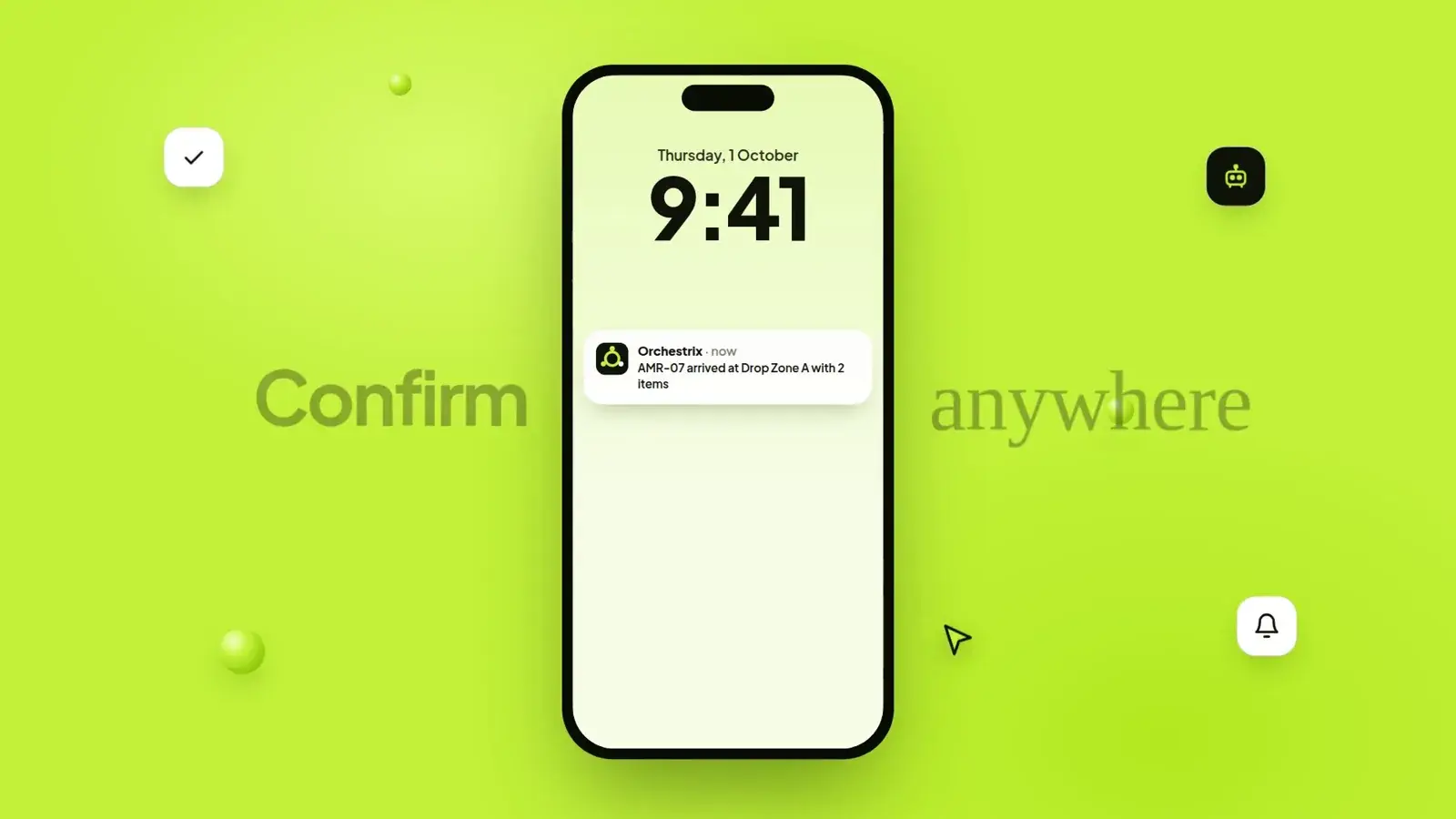
- Confirm anywhere
- Every step on record
No more chasing parts with phone calls, spreadsheets and paper slips.
Line-side requests usually travel by shouting, calling and walking. Orchestrix gives every request an owner, a status and a robot — and tells the person who asked when it arrives.
How a request becomes a delivery
- 1
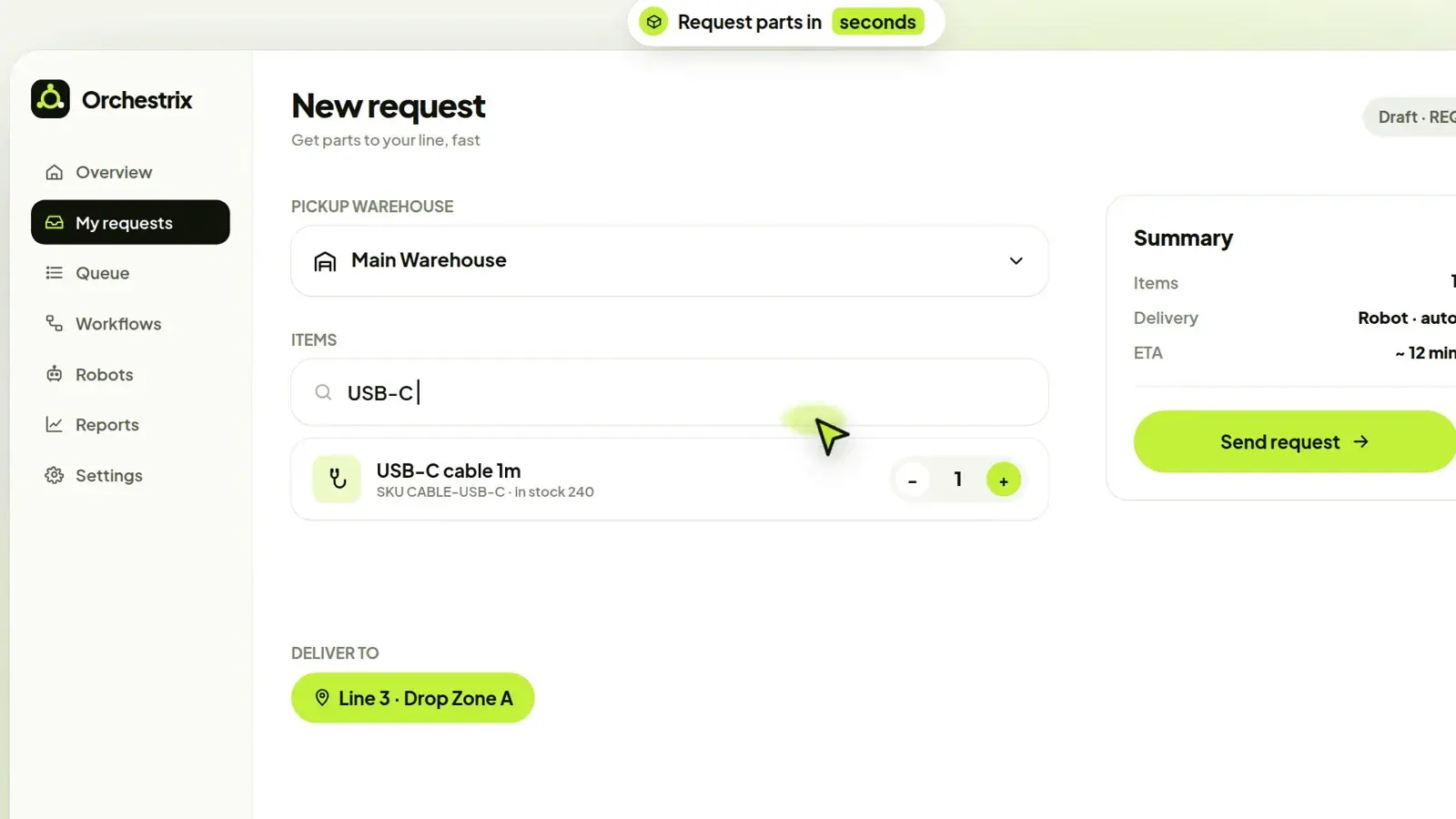
Request parts in seconds
Pick the warehouse, search the catalogue, set quantities and choose the drop zone. Orchestrix shows the delivery mode and an ETA before you send.
- 2
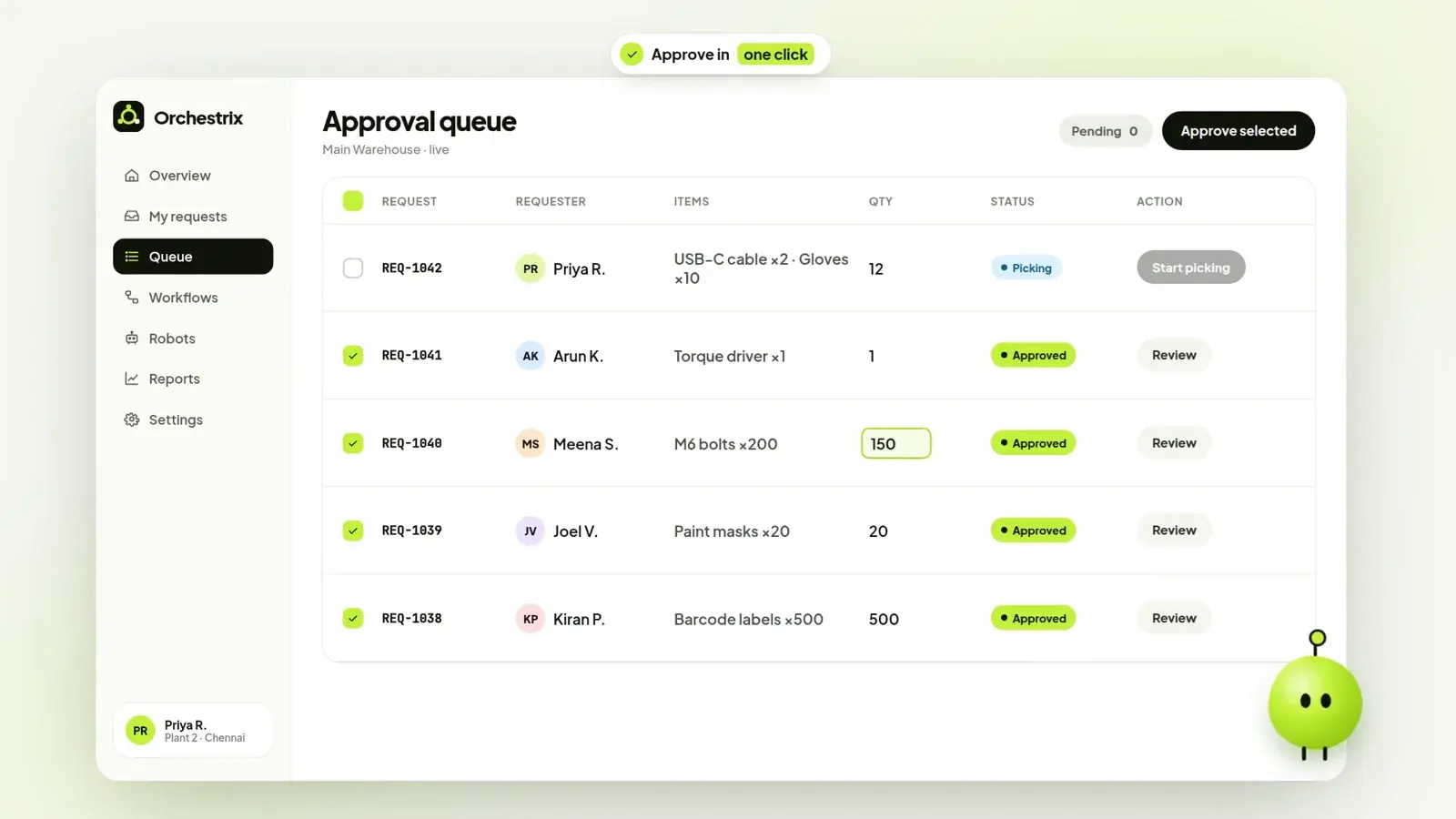
Approve in one click
Requests land in the approval queue for the right warehouse. Approve one or many, adjust a quantity, and picking starts.
- 3
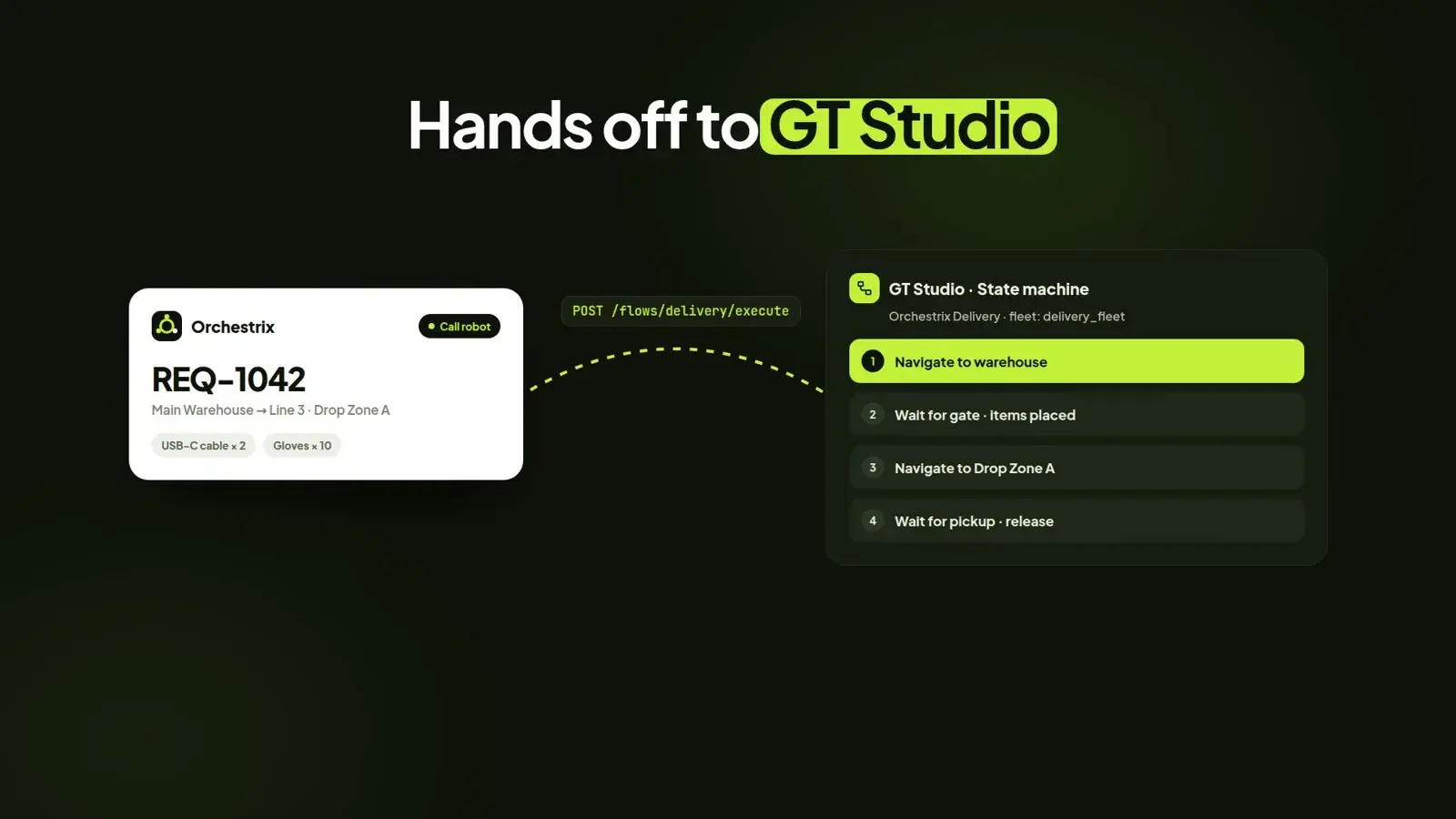
GT Studio sends the robot
Approved requests trigger a GT Studio flow: navigate to the warehouse, wait while items are placed, drive to the drop zone, wait for pickup. Every robot event flows back to Orchestrix.
- 4
Confirm anywhere
The requester is notified the moment the robot arrives and confirms pickup from their phone — the loop closes on its own.


Your workflow, no code
Draw the flow your plant already follows — submitted, approved, picking, robot called, items placed, pickup confirmed — and publish it as a new version.
- Approval
- Who signs off, by role.
- Gate
- Hold the robot until items are placed or picked up, with acknowledgement and timeouts.
- Robot task
- Call a GT Studio flow with the request’s pickup and drop zone.
- Notify
- Email, Microsoft Teams or a pop-up on the master screen.
- Webhook
- Tell your ERP, WMS or MES what happened, as it happens.


Your plant, your rules
Who can ask for what, from where, and how it moves — set once, applied to every request.
- Roles
- Requesters, masters and super users, each assigned to lines, stores and areas.
- Catalogue
- The parts people can request, with minimum order quantities and pack sizes.
- Warehouses
- Main stores, assembly stores and spares cages, each with its own queue.
- Order rules
- Split orders by warehouse, choose robot delivery, require acknowledgement pop-ups, enforce MOQ.
Talks to the floor
Through GT Studio, every request can open a door, call a lift, wait for a conveyor or write to a PLC on the robot’s way — and a button press on the line can start a request with no screen at all.
- Automatic doors
- Lifts
- Conveyors
- PLCs over Modbus
- Wireless call buttons
- Bin fill-level sensors


Screens show sample data.
Every step on record
Each request keeps its own audit trail — submitted, approved, picking started, robot called, items placed, arrived, pickup confirmed — with who and when.
- Deliveries, on-time rate and hours saved by warehouse
- Cycle-time trends to find slow steps
- CSV export for your own analysis
Orchestrix and GT Studio: one platform, from request to robot
Orchestrix
What needs to move, and who approved it
Requests, approvals, catalogues, warehouses, notifications and the audit trail — for the people who need material.
GT Studio
Which robot, which route, which door
Maps, lanes, mixed fleets over VDA 5050, state machines and links to doors, lifts, conveyors and PLCs — for the robots doing the work.
Explore GT StudioFrequently asked questions
What is Orchestrix?
Orchestrix is GOAT Robotics’ material request and workflow platform. People on the shop floor request parts, supervisors approve them, and Orchestrix hands each approved request to GT Studio, which sends a robot and reports every step back — with a full audit trail.
How is Orchestrix different from GT Studio?
Orchestrix decides what needs to move, for whom and with whose approval. GT Studio decides which robot does it, on which route, and opens the doors and lifts on the way. Orchestrix calls GT Studio flows; GT Studio sends robot events back to Orchestrix.
Do we need to write code to change a workflow?
No. Workflows are built visually from blocks — approval, gate, robot task, notify and webhook — and published as new versions. Roles, catalogue, warehouses and order rules are settings, not code.
Can a button press create a request?
Yes. A GOAT wireless call button at the line creates a request in Orchestrix with no screen needed, and its ring shows when the request is acknowledged.
Can Orchestrix connect to our ERP or WMS?
Yes. Webhook blocks send request and delivery events to your ERP, WMS or MES, and reports export to CSV. Our engineers set up deeper integrations during deployment.
See Orchestrix run your line-side requests
We’ll set up your warehouses, catalogue and a first workflow, and show a robot delivering a real request.